
Run Echo on your own computer
On a computer with 8 GB of memory or more, Echoes Desktop downloads a 1.1 GB AI model in the background and Echo switches to it. You install nothing and paste no API key.
3 steps2 min
Why it matters
Asking Echo about your chats means your question goes somewhere. With the local model, Echo answers on your computer, and the desktop app can also write summaries there. That suits work chats you'd rather keep on your machine.
Step by step
- 1
Check your computer qualifies
Open Settings → Echo AI Models. This computer shows your memory and cores. The local model needs 8 GB of memory as the app counts it, plus about 1.6 GB of free disk.
- 2
Let it download
The model downloads on its own a few seconds after the app starts and your first sync settles. If it stops, it picks up where it left off. Try again in the same settings page restarts a failed download.
- 3
Ask Echo
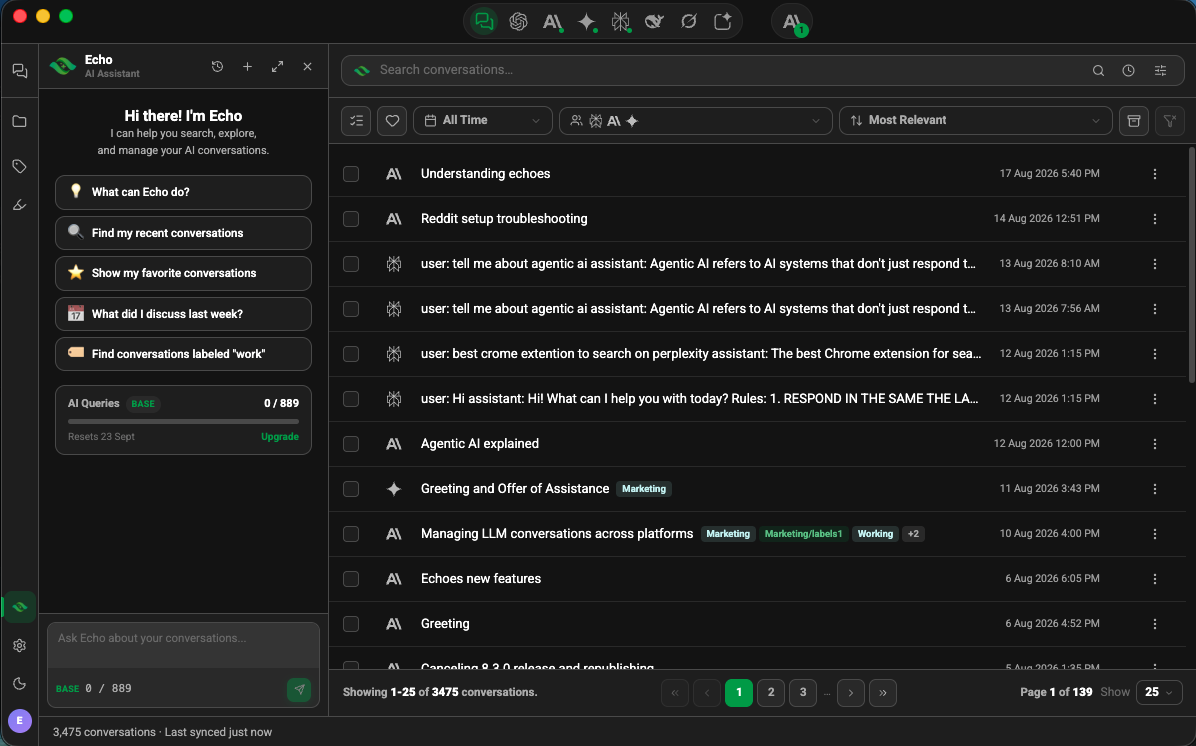
Open Echo from the left rail. The icon in Echo's header shows where it is answering. With the local model in use, its tooltip reads Echo answers on this computer. Your conversations stay here.
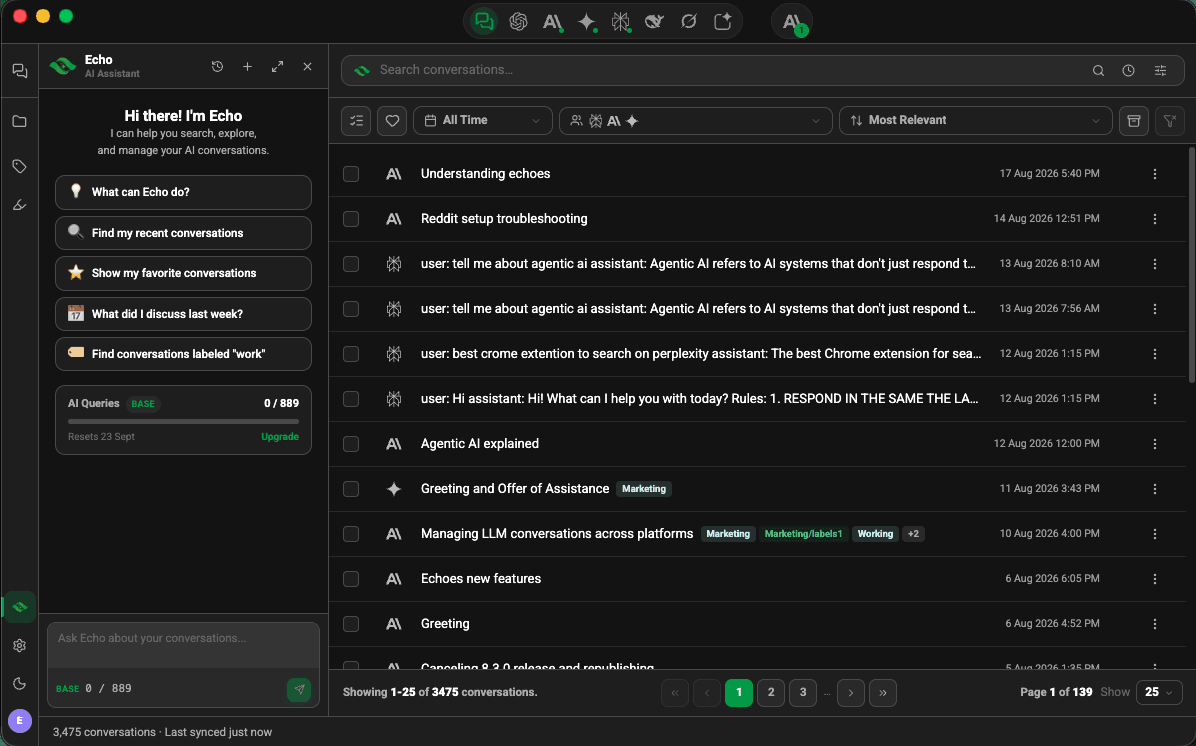
Echo panel in Echoes Desktop beside the conversation library
Good to know
| Plan | Limit |
|---|---|
| Memory | 8 GB or more |
| Disk | About 1.6 GB free |
| Systems | Windows x64, Apple Silicon Macs, Linux x64 |
- Echo still needs an internet connection to check your query allowance, and each question counts toward it.
- Some "8 GB" laptops reserve part of their memory for graphics and report 7 GB. Those don't qualify, and Echo keeps using the cloud.
- If you already run Ollama on this computer, Echoes skips the download.
Related tutorials
- ExtensionDesktopAsk Echo to find a conversationDescribe the chat in your own words and Echo runs the search for you.
- ExtensionDesktopCheck and top up your Echo AI queriesSee how many queries you have left, when they reset, and how to get more.
- ExtensionDesktopWhere Echoes keeps your conversationsYour chats stay on your device. Here is what syncs to your account, and what Echo and summaries send.