
Install Echoes Desktop
Windows users install Echoes AI from the Microsoft Store. Mac (Apple Silicon) and Linux users download it from the Echoes Desktop page. Open the app, pick an AI platform and sign in inside the app.
4 steps2 min
Why it matters
The desktop app does what the extension does and adds what a browser extension can't: you chat with each AI inside one window, keep several chats open as tabs, highlight passages, write notes and hand a chat over to another AI.
Step by step
- 1
Download for your system
Go to the Echoes Desktop page. Windows: the button opens the Microsoft Store, where you click Get. macOS: download the .dmg, open it and drag Echoes to Applications. Linux: download the .deb and run
sudo apt install ./echoes-desktop_<version>_amd64.deb. - 2
Open the app and add an account
The first screen says Add an account: above seven platform buttons. Click one. The platform's own site opens inside Echoes.
- 3
Sign in and add the account
Sign in on the platform page. Google and Apple sign-in windows open inside the app too. When Account Detected appears, click Add Account.
- 4
Wait for the first sync
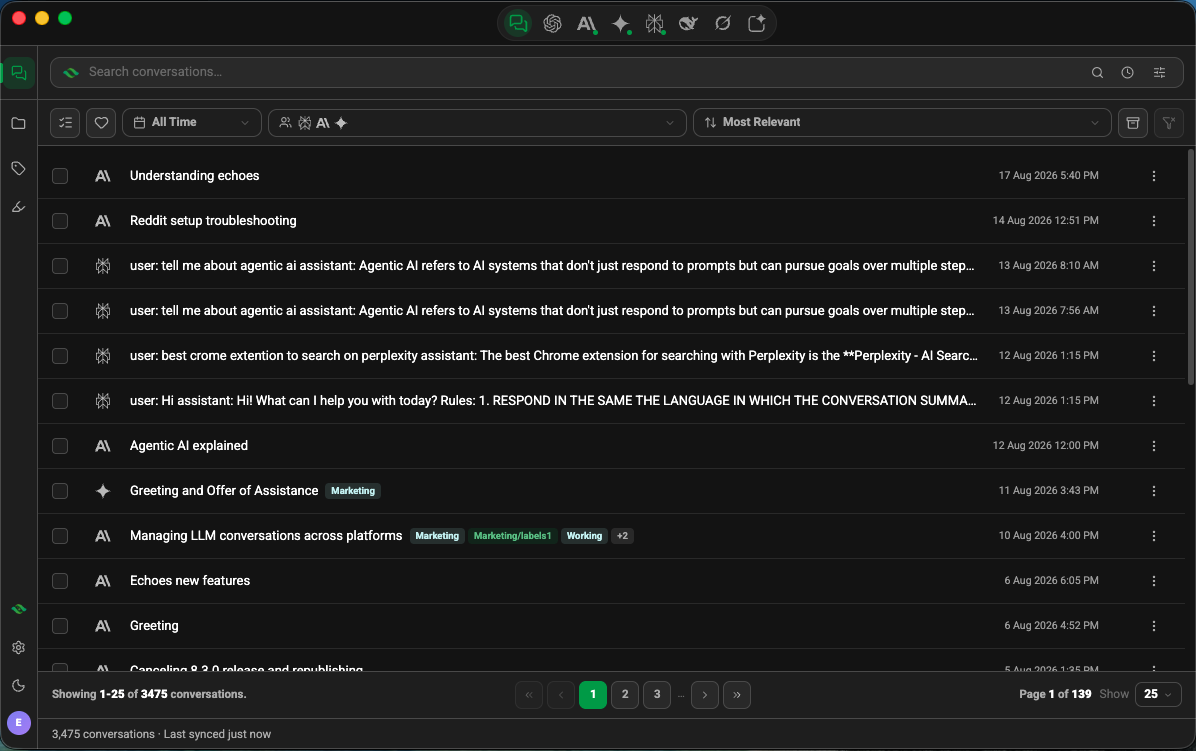
The status bar shows Finding your conversations… and then N of M conversations stored on this device. Click the first icon in the title bar to see your library.
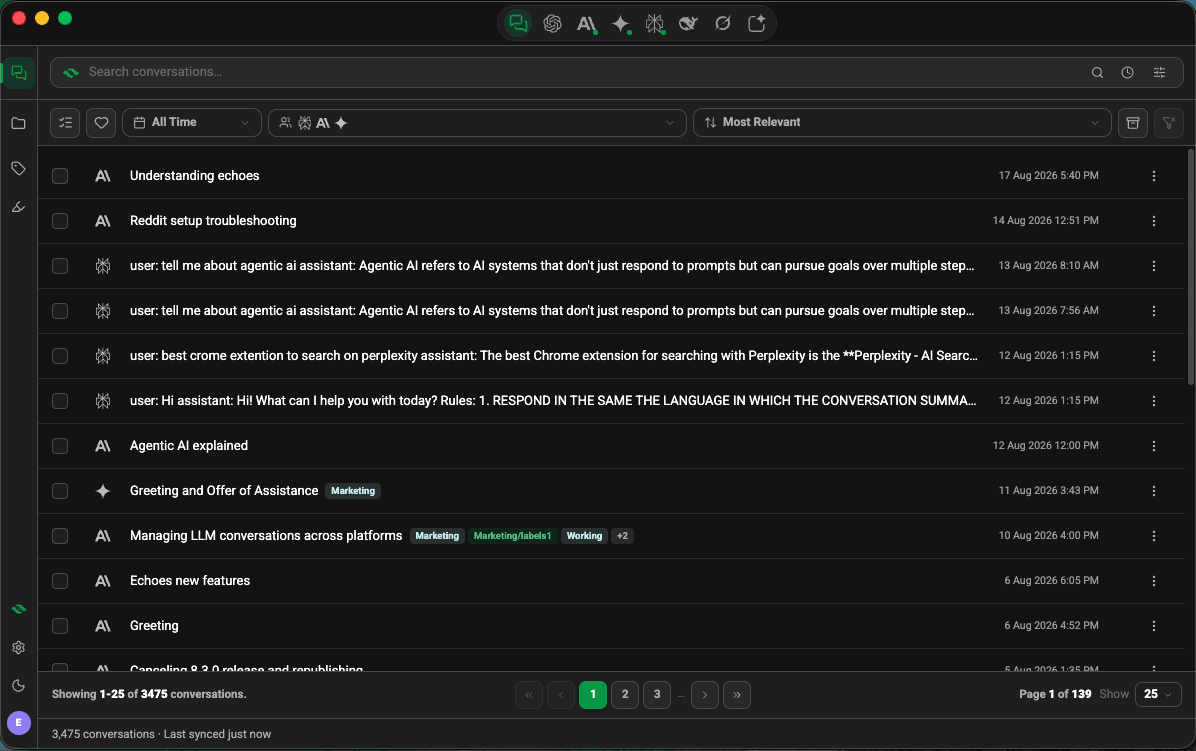
Echoes Desktop conversation library with chats from several platforms
Good to know
| Plan | Limit |
|---|---|
| Windows | Windows 10 (1809) or later, from the Microsoft Store |
| macOS | macOS 12 or later on Apple Silicon (M1 or newer). Intel Macs are not supported |
| Linux | x64, .deb package |
- The Mac app updates itself and shows Update ready · Restart in the title bar. The Microsoft Store updates the Windows app.
- The Linux app doesn't update itself. Download the new .deb from the Echoes Desktop page.
- Plus and Lifetime members can join the beta at /desktop/beta for new features first.
FAQ
Do I need the extension if I have the desktop app?
No. They work on their own. If you use both, sign in to the same Echoes account and your labels and favorites sync between them.
Does it run on an Intel Mac?
No. The Mac app needs Apple Silicon (M1 or newer).
Related tutorials
- ExtensionDesktopConnect your AI accountsAdd ChatGPT, Claude, Gemini, DeepSeek, Grok, Perplexity and AI Studio accounts, several per platform.
- DesktopChat with seven AIs in one windowUse ChatGPT, Claude, Gemini and four more inside Echoes Desktop, with your library one click away.
- DesktopKeep several chats open as tabs, with your library beside themOpen chats in tabs, up to 10 per platform, and show your library next to the chat you're in.