
Highlight a passage and come back to it
Turn on the highlighter in the toolbar, select text in a chat, pick a color and click Save. The Highlights panel on the left rail lists your highlights, and clicking one opens the chat at that passage.
4 steps2 min
Why it matters
An AI answer is 800 words and you need three lines of it next week: the SQL that worked, the clause wording you liked. A bookmark gets you to the chat. A highlight gets you to the lines, in the color you use for that kind of thing.
Step by step
- 1
Turn on the highlighter
Open a conversation on any platform and click the highlighter icon in the toolbar (tooltip Highlight text in this conversation). It is off by default and you turn it on per tab.
- 2
Select text and save it
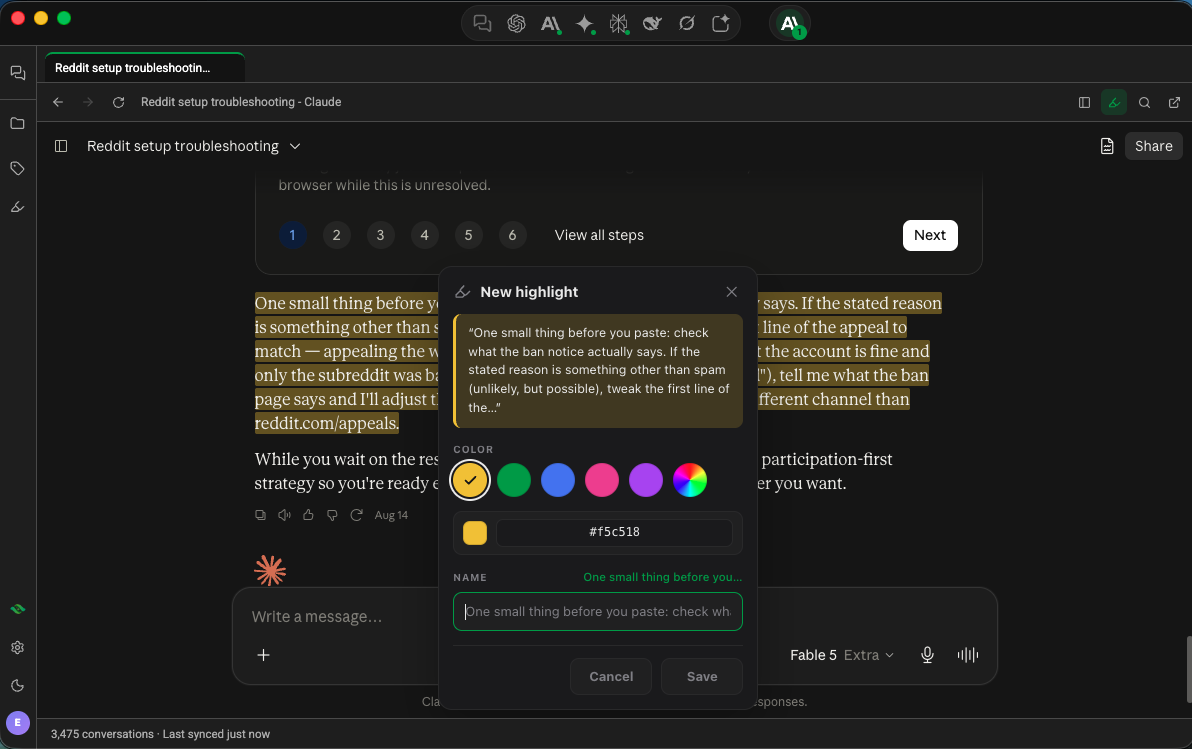
Select the passage. A New highlight card appears. Pick one of five colors, or the rainbow swatch for a custom color. Edit the Name if you like (Echoes suggests the first words). Click Save.
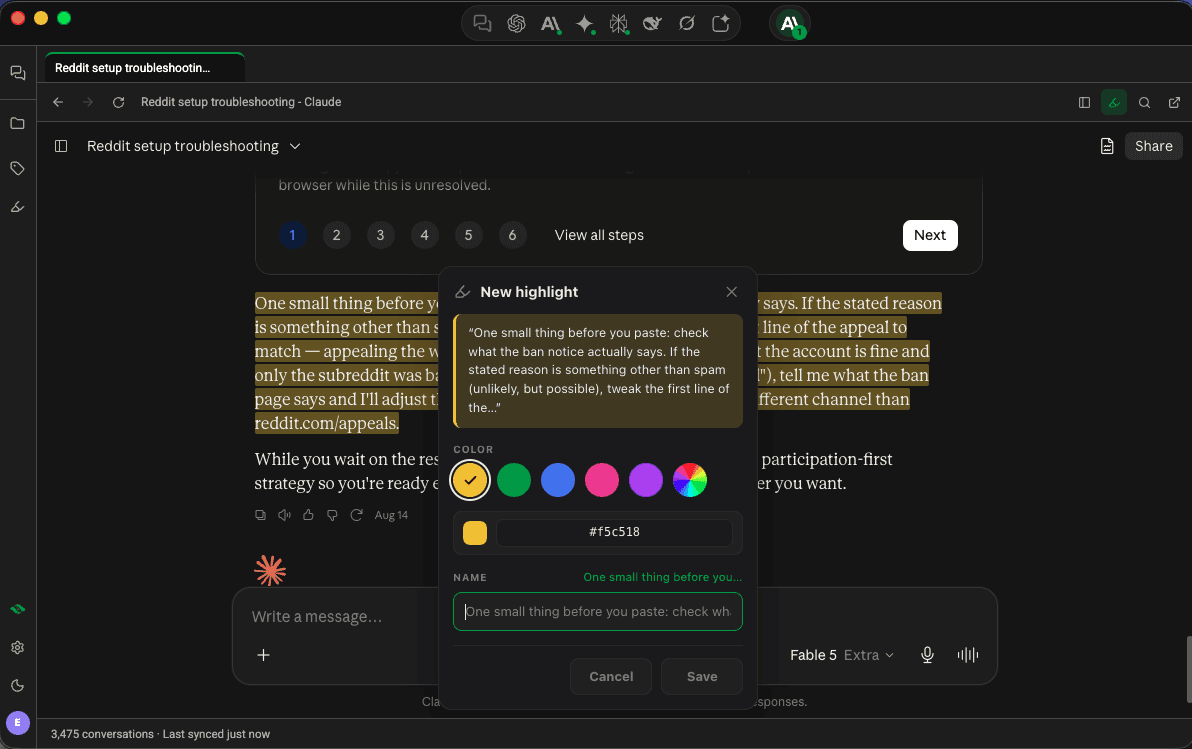
New highlight card over a Claude chat with color choices and a name field - 3
Find it later
Click Highlights on the left rail. Search with Search highlights, or narrow by time, platform or color. Click a highlight to open the chat and scroll to it.
- 4
Edit or delete a highlight
Click a highlight in the chat to open Edit highlight, where you change the color or name, or click Delete. In the panel, double-click a name to rename it.
Good to know
| Plan | Limit |
|---|---|
| Without an Echoes account | 5 highlights |
| Plus & Lifetime | No limit, synced across your devices |
- Save to note on the highlight card sends the passage into a note.
- Remember on the card adds the passage to your memory, which Echoes can include the next time you use Continue in.
- Chats in your library show a badge with their highlight count.
- If a long chat hasn't loaded the passage yet, scroll up and the highlight appears. If the platform changed the text, Echoes marks the highlight as not available and keeps it.
FAQ
Does the platform see my highlights?
No. Echoes Desktop stores highlights. ChatGPT, Claude and the others don't know about them.
Are highlights included in exports?
Yes, if Include highlights in exports is on in Settings → General.