
ExtensionDesktop
FreeSwitch between light and dark theme
Click Theme on the left rail to flip between light and dark, or choose Light, Dark or Auto in Settings → General. Auto follows your computer's setting.
2 steps1 minVideo walkthrough
Why it matters
You read AI chats at 11 pm and at noon. Auto switches Echoes with your system, so the dashboard and Echo match the rest of your screen at either hour.
Step by step
- 1
Flip the theme from the rail
Click the theme button near the bottom of the left rail (tooltip Theme: Dark or Theme: Light).
- 2
Or choose it in Settings
Open Settings → General and pick Light, Dark or Auto under Theme.
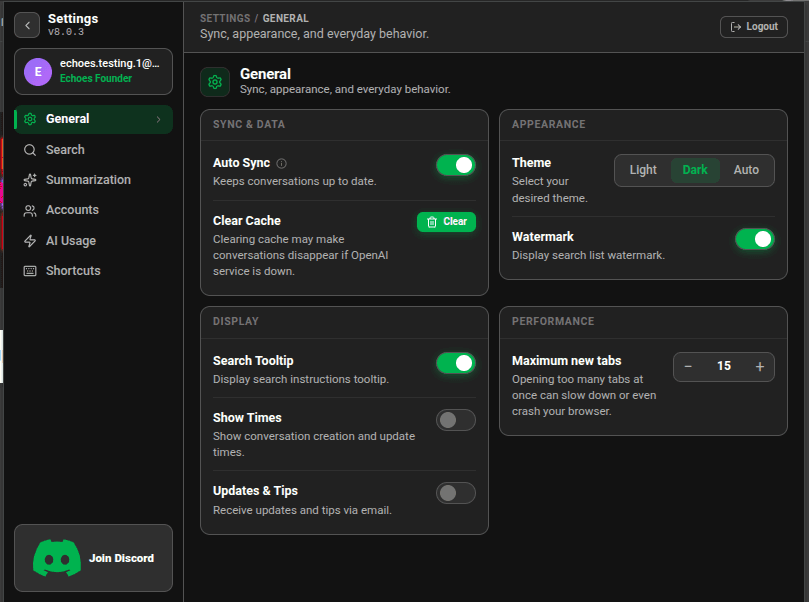
Settings General tab with the Theme switch set to Dark
Good to know
- New installs start on Auto.
Related tutorials
Try it in Echoes
The free Lite plan covers all seven AI platforms. No card needed.